
Setting a voicemail prompt
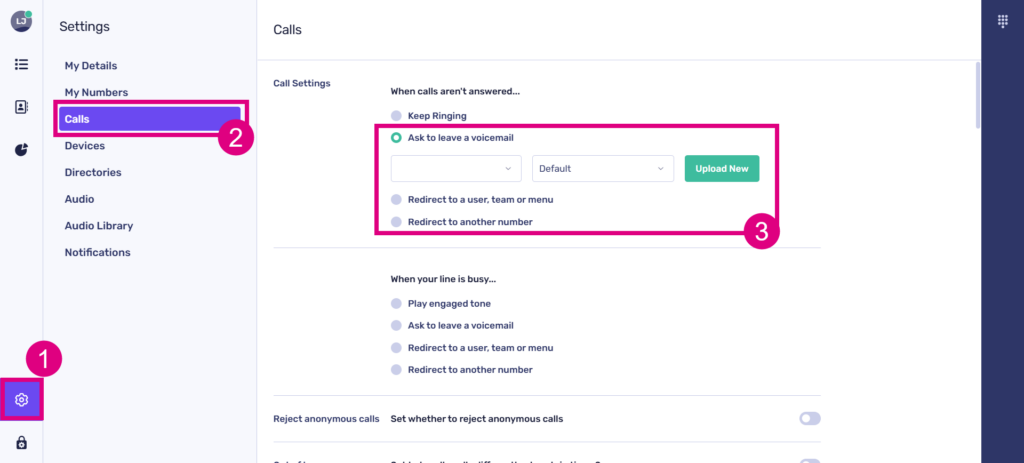
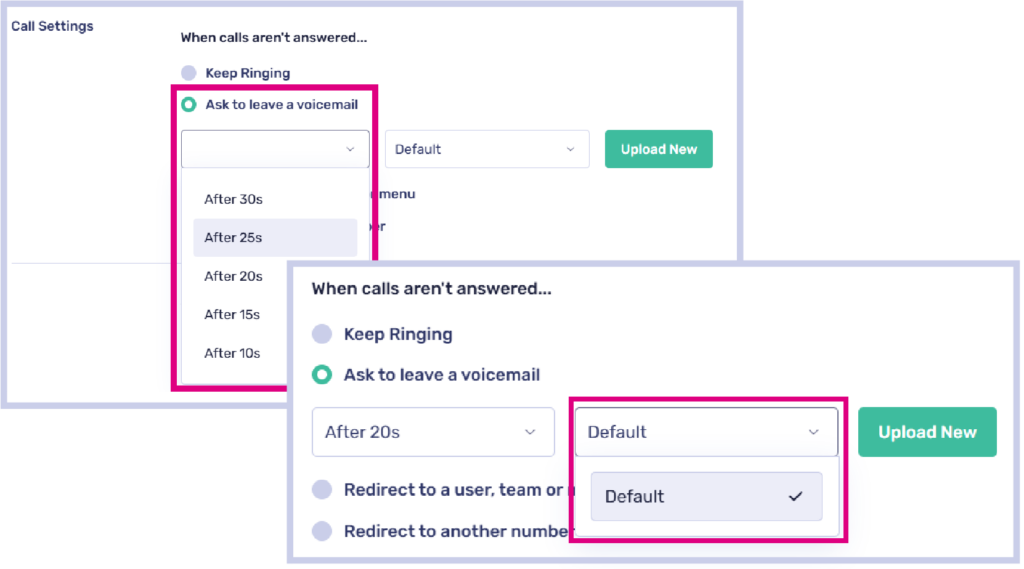
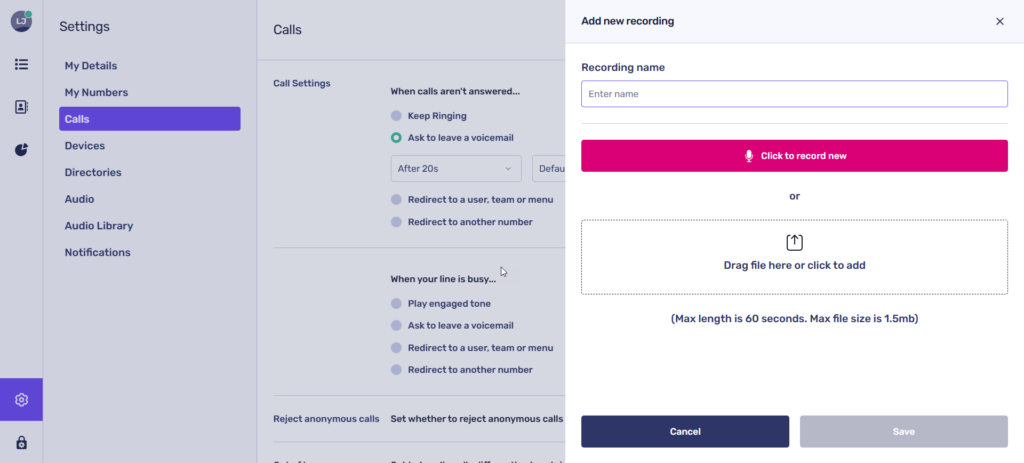
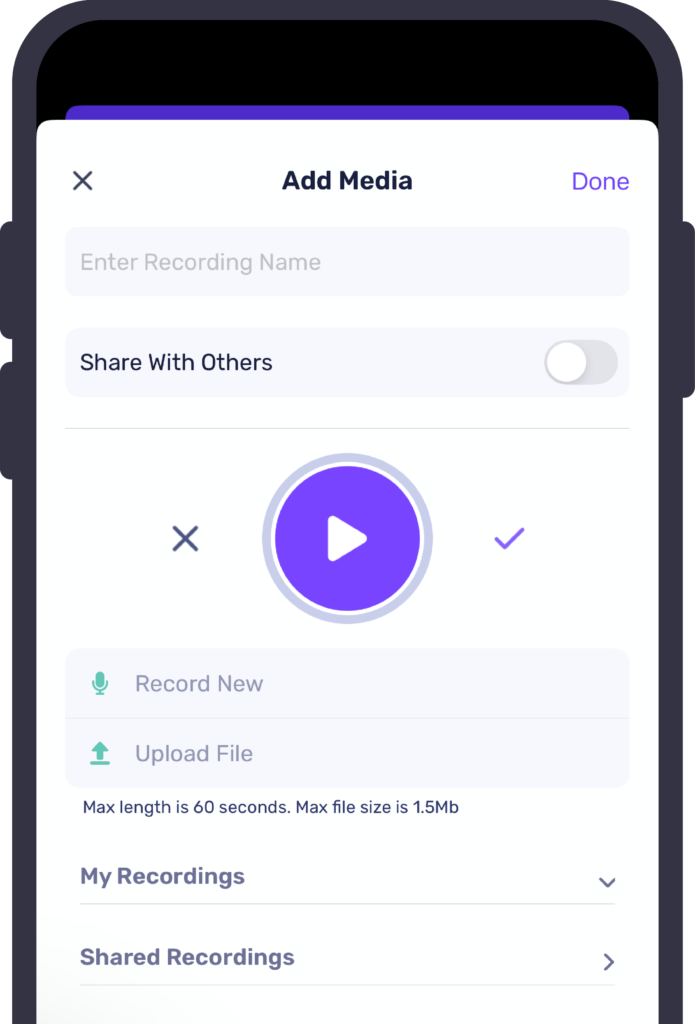
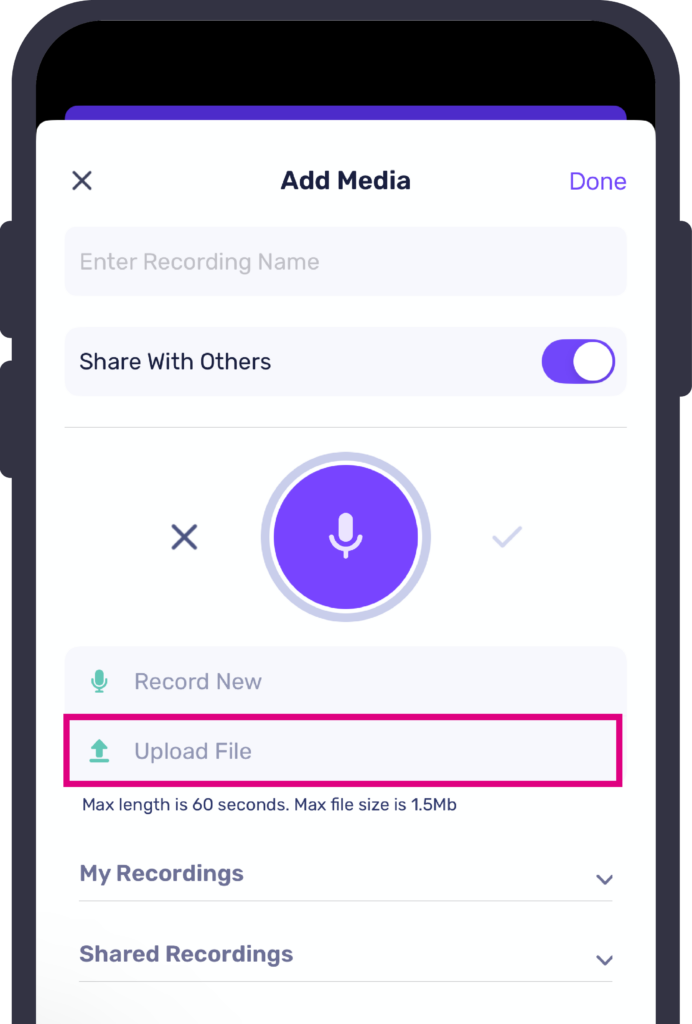
Customising your voicemail message is easy! You have the option to record your own message, upload a pre-recorded one, or choose from a shared library of available recordings.
- Record allows you to use your microphone/device to create a new audio track
- Upload allows you to import an audio track, if you already have recording you wish to use. The maximum file size is 1.5MB
- Library allows you to select from a list of tracks shared amongst PhoneLine+ users within your company. For example, if your organisation uses a template for voicemail messages.
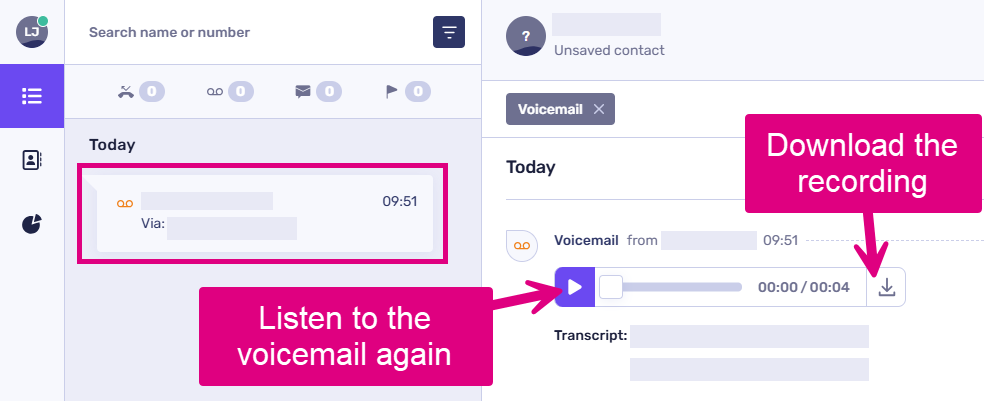
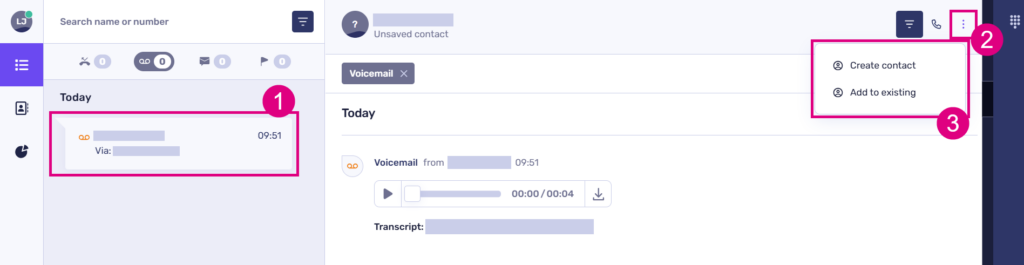
 How to set a voicemail prompt (desktop)
show more


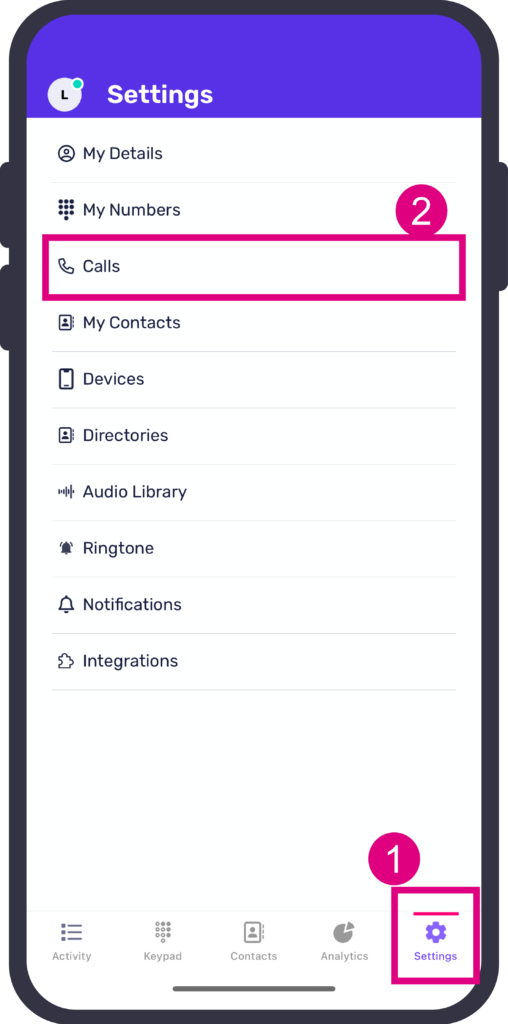
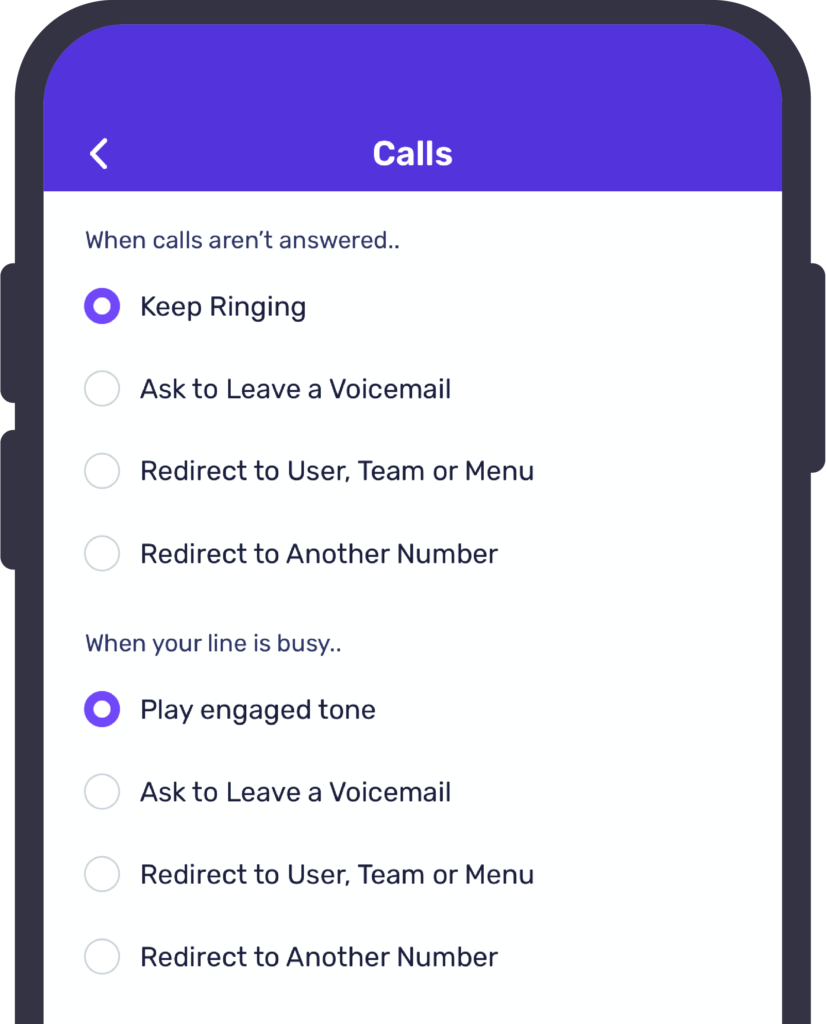
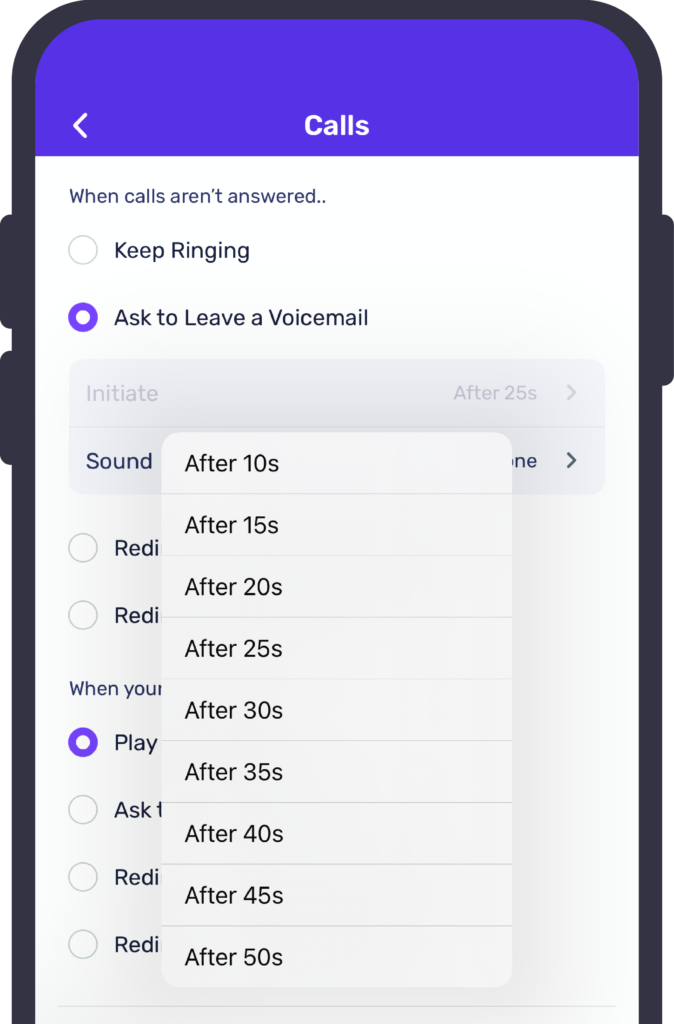
How to set a voicemail prompt (mobile)
show more



Troubleshooting
If you are not currently receiving voicemails, please check the following:
- You have a number assigned to you
- Your call settings are set to ‘Ask to leave a voicemail’
- You have recorded/uploaded a relevant voicemail message for callers to hear when you are not available
- Settings for how calls should be answered ‘Out of hours’ do not conflict with your call settings
- If you are not receiving voicemail notifications via email, check to see if your mailbox server is flagging PhoneLine+ emails as spam.
If you are still having issues with this feature, please contact your service provider.