Analytics are accessible for both the desktop and mobile versions of PhoneLine+, providing a comprehensive overview of call activity within your organisation.
Additionally, users have the option to download reports containing this data.
Analytics (desktop)
To access the Analytics screen on your desktop, simply click the pie chart icon located on the left-hand side.
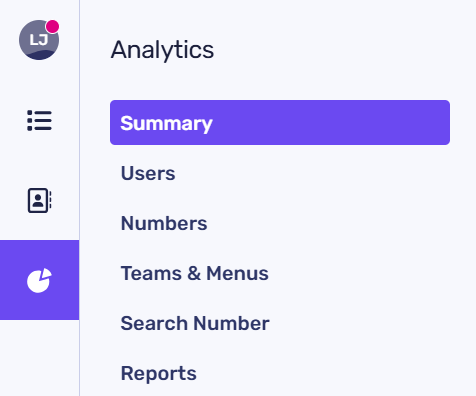
You can easily filter your analytics results by clicking on the options provided here:
- Summary – An overview summarising your Total, Inbound, Outbound, and Missed calls
- Users – You can view a comprehensive list of all PhoneLine+ users within your organisation, along with their total call statistics, including Inbound, Outbound, and Missed calls. By clicking on a specific user, you can access detailed statistics that pertain to that individual
- Numbers – Here you are able to see Total Calls, Inbound, Outbound and Missed calls in order of number
- Teams & Menus – Total Calls, Inbound, Outbound and Missed calls in order of Team or Menu
- Search number – To access data associated with a specific number, please enter it here. This functionality is designed for both PhoneLine+ users and external callers. Remember to add the area code when inputting a number here!
The ‘Summary’ graph and selecting a graph view
Your ‘Summary’ data can be visualized through a graph, as illustrated below. This information is formed of all call data sources within your organisation.
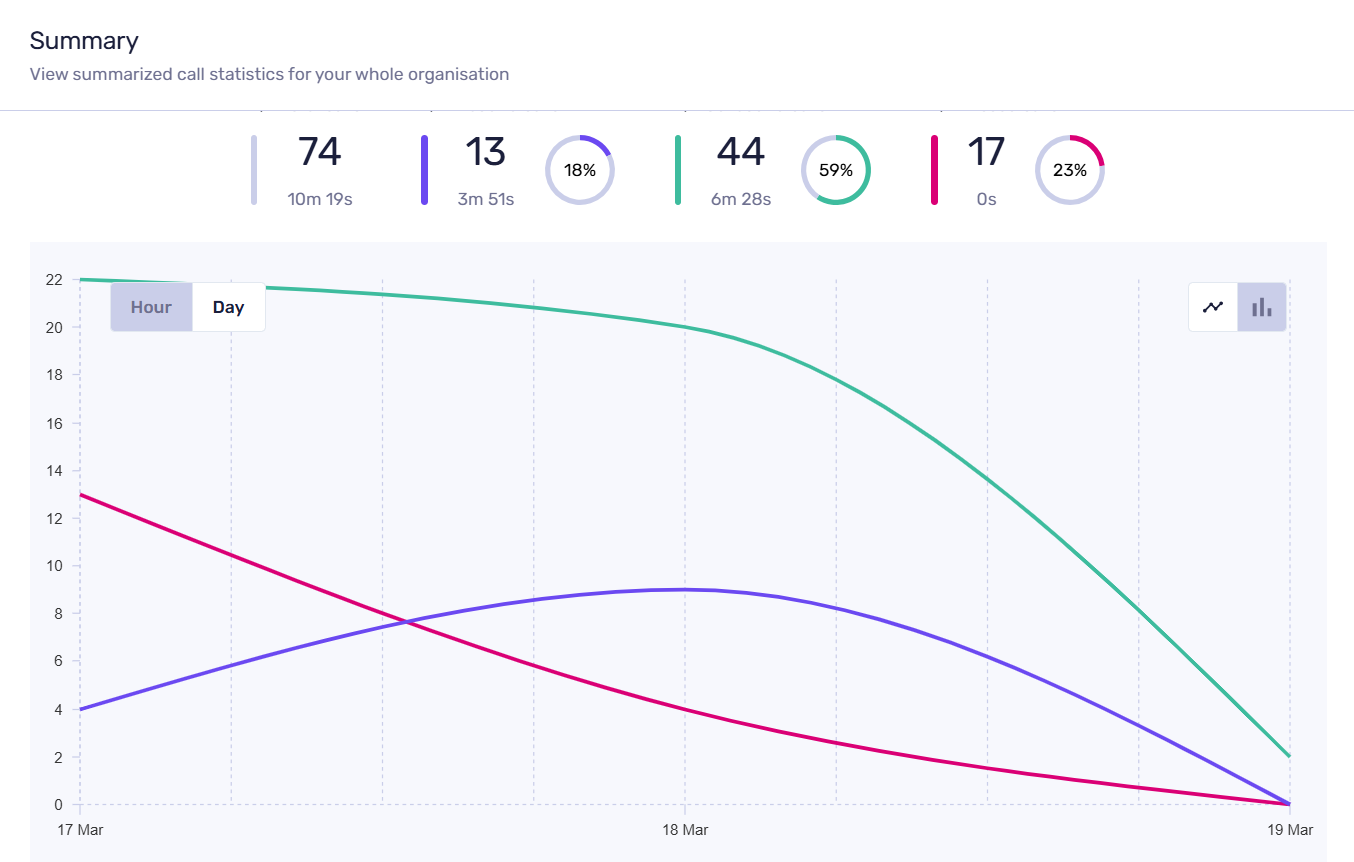
You can refine this information by selecting either ‘Hour’ or ‘Day’ through the corresponding icons on the graph.
The icons located in the top right corner of the graph area enable you to toggle between two available views: a line graph (as shown above) and a bar chart.
Hover over the graph area to view details of:
- Inbound calls (purple)
- Outbound calls (green); And/or
- Missed calls (magenta).
Filtering your graph data
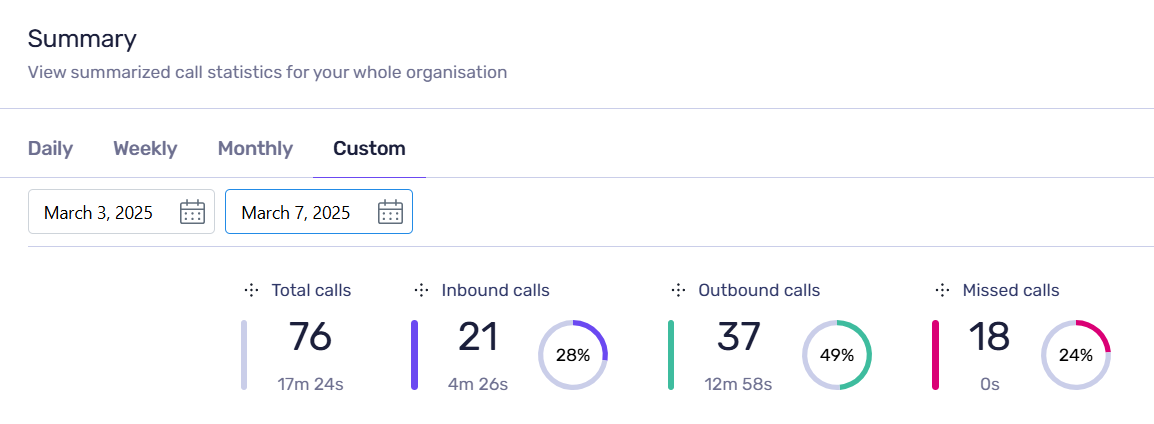
Use the filters above your graph area to narrow down your data search by daily, weekly, monthly, or by providing a custom date range (as shown below).
These filters are available for summary, users, numbers, Teams and Menus.